
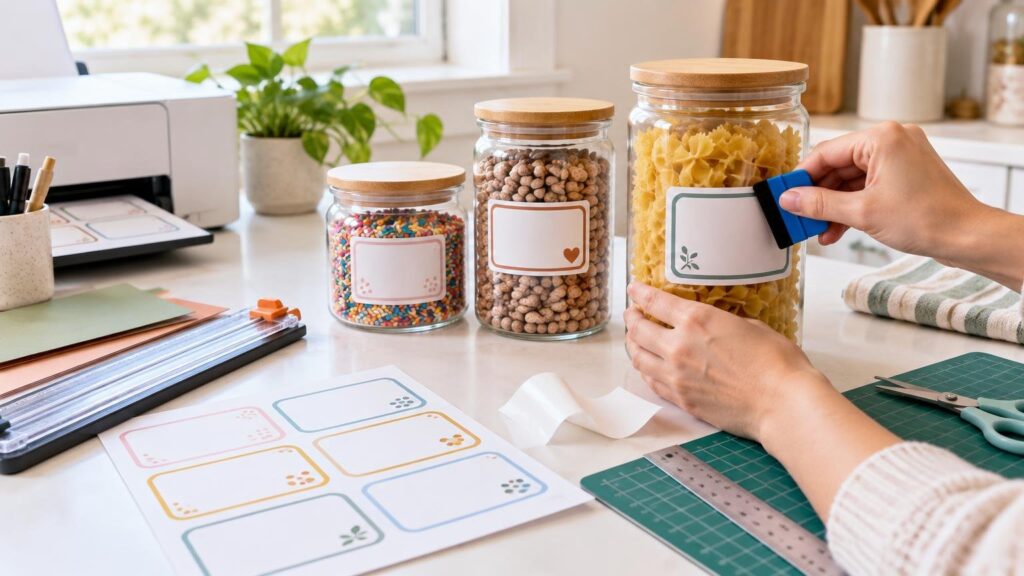
TLDR
Use ordinary printable sticker paper for dry pantry jars, craft storage, party favors and short-term seasonal projects. Choose printable vinyl or a manufacturer-rated water-resistant or waterproof film for jars exposed to condensation, oil, splashes or frequent wiping. Measure the jar’s flat usable area, test the design on plain paper, print one adhesive sheet at a time, let the ink dry, cut the labels and apply them to clean, room-temperature glass. Keep food labels on the exterior of the jar.
Choose the label material for the jar’s real use
The best material is not automatically the most durable one. It is the least complicated option that can handle where the jar will live. Paper labels are inexpensive, easy to write on and suitable for glass, but they are intended for dry conditions. Film materials add resistance to water, tearing and, in some cases, oil. Label materials intended for indirect food contact should remain on the outside of the container rather than touching food.
| Jar use | Recommended printable material | Finishing choice |
|---|---|---|
| Dry pantry, craft room or desk | Matte or glossy printable sticker paper | No laminate needed |
| Party favor or seasonal display | Printable sticker paper or printable vinyl | Optional clear laminate for handling |
| Refrigerator or splash-prone counter | Water-resistant printable film | Use compatible ink and follow the material instructions |
| Frequent wiping or possible soaking | Manufacturer-rated waterproof film or laminated sticker system | Hand-wash unless the manufacturer explicitly allows more |
Water-resistant and waterproof are not interchangeable. Avery describes water-resistant labels as able to tolerate splashes, while waterproof labels are designed to withstand submersion without smearing. Performance can still depend on the printer and ink: a film may be waterproof with laser or pigment-based ink while ordinary dye-based inkjet ink can smear. Check the complete combination of sheet, printer and ink before promising yourself a washable result. The Avery guide to water-resistant and waterproof label materials explains the distinction.
Measure and design the label
Measure the smooth, usable section of the jar rather than its full height or circumference. Ridges, shoulders and strongly curved areas can make a large rectangular label crease or lift. Cut a plain-paper rectangle in your proposed size, hold it against the jar and reduce it until it lies flat. An incorrectly sized label is more likely to bubble or wrinkle.
Build the design at its final size. Keep important words and thin borders away from the cut line, and use a readable font with strong contrast. Print a plain-paper proof first. Cut it out, tape it temporarily to the jar and check the size from normal viewing distance. This cheap test catches tiny type, awkward proportions and labels that collide with the jar’s seams before you use an adhesive sheet.
If every jar needs different wording, create one consistent template and change only the contents, date or name. For a larger matching batch that you do not want to print and cut at home, the CustomStickers custom labels and vinyl stickers range offers a separate production route.
Set up the printer without wasting a sheet
Read the media instructions before loading anything. Cricut printable sticker paper is made for inkjet printers, and Cricut warns that laser-printer heat can damage that material or the printer. Other products have different requirements; for example, some waterproof film is intended for laser or pigment-based inkjet printing. Compatibility must be confirmed for the exact sheet you bought. Cricut’s printable sticker paper instructions provide the relevant loading and printing guidance for its material.
- Identify the printable side. On Cricut sticker paper, the printable face is blank and the liner carries the grid or logo.
- Run a plain-paper feed test if you do not know whether your printer loads face up or face down.
- Remove ordinary paper and load one adhesive sheet. Use the manual or bypass tray when the printer provides one.
- Select the correct paper size and start with high, best or photo quality. If the ink pools or smudges, reduce the quality setting.
- Print one test sheet and leave it flat until the ink is completely dry before handling or cutting.
One-sheet feeding is especially useful with thick adhesive media. Cricut recommends it for its specialty sheets, and Epson’s special-media loading guidance also identifies self-adhesive and sticker media as one-sheet-at-a-time materials. Keep unused sheets flat because curled media can feed poorly or smear.
Laminate only when the project needs it
A clear laminate can protect printed vinyl, but it does not automatically make every homemade label dishwasher-safe. In Cricut’s waterproof sticker workflow, the ink dries first, then a separate laminate is aligned and smoothed over the printable vinyl before cutting. Cricut describes that system as waterproof and UV protective but still recommends handwashing because dishwasher heat and detergent can shorten its useful life.
Apply laminate slowly from one edge while smoothing with a brayer, scraper or flexible card. Avoid covering cutting-machine registration marks unless the manufacturer’s workflow specifically permits it. For dry storage jars, skipping laminate keeps the project faster, cheaper and easier to cut.
Cut the labels by hand or with a cutting machine
Straight rectangles are easiest with a paper trimmer. Scissors work well for circles and decorative shapes if you turn the label as you cut instead of repeatedly repositioning the blades. A punch is useful for making many identical small labels.
For Cricut Print Then Cut, do not change scaling or select fit-to-page, edge printing, center alignment or narrow-margin options; those settings can disrupt the sensor-mark layout. Bleed adds a narrow colored edge that is trimmed away and helps printed color reach the finished border. Print Then Cut is available on Cricut Joy Xtra, Explore, Maker and Venture families, but not the original Cricut Joy.
Cricut specifies a LightGrip mat and Fine-Point Blade for its printable sticker paper and printable vinyl workflows. Match the software setting to the sheet actually being cut, then make a small test cut when possible. A kiss cut passes through the face material while leaving the liner intact; a die cut passes through both layers. The practical differences are covered in our guide to kiss cuts and die cuts for Cricut sticker projects.
Apply the label without bubbles
Wash the jar if needed, remove old adhesive and let the glass reach room temperature. The application area should be dry and free from dust, oil, grease and residue. Avery recommends wiping the area with isopropyl alcohol and a lint-free towel, then allowing it to dry completely.
- Use a seam, lip or other feature as a visual alignment guide.
- Peel back a small section of liner instead of exposing the entire adhesive surface.
- Anchor the center or one short edge, depending on the label shape.
- Smooth outward while following the jar’s curve.
- Push minor bubbles toward the nearest edge with a flexible plastic card.
- Leave the labeled jar at room temperature for 24 hours so the adhesive can set.
If a label repeatedly wrinkles, the problem is usually its shape rather than your application technique. Make it narrower, shorten its height or switch from one large wraparound panel to two smaller labels.
Store the sheets and finished jars sensibly
Keep unused printable sheets flat in their original packaging and away from moisture, direct sun and strong heat. Store printed labels flat until they are applied so curled edges do not begin lifting. Finished paper-labeled jars belong in dry storage. Refrigerated or frequently cleaned jars need a film and ink combination rated for that exposure.
For the simplest successful project, start with one dry jar and ordinary inkjet sticker paper. Test the size on plain paper, print a single adhesive sheet and apply it to thoroughly cleaned glass. Upgrade to compatible film and laminate only when condensation, splashes or washing make that extra durability necessary.
References
- www.avery.com
- Blank Labels Water Resistant and Waterproof Materials | Avery
- Durable Waterproof Labels, 1.25" x 9.75", 40 Total 22845 | Avery
- How to Apply Your Labels Perfectly | Avery
- Printable Sticker Paper – Help Center
- Loading Special Paper and Other Media
- Printable Waterproof Sticker Set Instructions – Help Center
- How to Print Then Cut in Design Space – Help Center
- Printable Vinyl Instructions – Help Center