
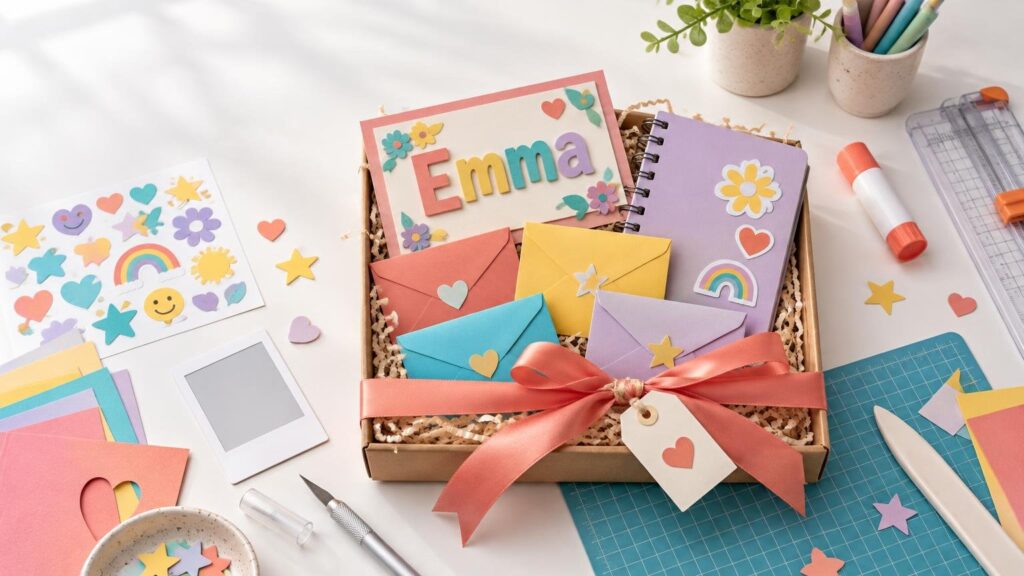
The best personalized birthday gifts do not need to be elaborate. A familiar photo, favorite color, private joke or carefully chosen message can turn an ordinary notebook, card or frame into something that feels unmistakably made for one person.
Start by choosing one meaningful detail about the recipient, then build the project around it. The ideas below can be made with basic craft supplies, a home printer or a cutting machine. Most are also easy to scale for children, classmates, relatives and friends.
Choose the personal detail before the project
It is tempting to begin by browsing materials, but a gift feels more personal when the recipient guides the design. Pick one or two details rather than trying to fit their entire personality onto a single object.
- A favorite photo or a small group of related photos
- Their name, initials, nickname or birth year
- Colors, patterns or symbols connected to a hobby
- A quote, lyric or shared joke they will recognize
- A short list of memories, compliments or future plans
Keep the design legible and give the personal element room to stand out. A name in a clear typeface often looks more polished than a name surrounded by several decorative fonts. Likewise, one strong photo usually works better than a crowded collage on a small surface. If photography is central to the project, check the cropping and print quality using this guide to preparing personalized photo gifts.
Five approachable personalized birthday gift projects
1. A memory frame with a handwritten caption
Print one photo and mount it inside a handmade or decorated frame. Add the date, location or a one-sentence memory beneath it. For a child’s gift, pair the photo with a drawing. For an adult, use neutral cardstock and a smaller caption for a cleaner finish.
A frame can be built from chipboard, layered cardstock or wooden craft sticks. The popsicle-stick frame project is a practical starting point if you want a freestanding handmade gift without specialist equipment.
2. A custom sticker-and-notebook set
Decorate a plain notebook with stickers based on the recipient’s hobbies, pets, favorite foods or catchphrases. Make a coordinated bookmark by cutting a strip of heavy cardstock, rounding the corners and adding one matching sticker near the top.
A sticker sheet is especially useful because the recipient can decorate the notebook themselves and save extras for a water bottle, pencil case or planner. Home crafters can print a sheet, while anyone who wants a professionally printed component can use CustomStickers for the custom sticker portion of the gift.
3. A birthday coupon booklet
Create six to ten small coupons offering experiences or helpful favors. Ideas include choosing the next movie, baking together, a picnic, help with a chore or an afternoon devoted to the recipient’s favorite activity. Avoid vague promises: a specific offer feels more thoughtful and is easier to use.
Cut cards to one consistent size, such as 3 by 5 inches, punch one corner and connect them with a binder ring or ribbon. Add the recipient’s name to the cover and use one color or icon for each category of coupon.
4. A set of “open when” envelopes
Label small envelopes with prompts such as “open when you need encouragement,” “open when you want to laugh” or “open when you are planning an adventure.” Fill each one with a note, printed photo, tiny drawing, paper confetti or redeemable activity card.
This project works well without a machine. Cut the labels by hand or print them on adhesive paper. Keep bulky decorations away from envelope folds so the set stacks neatly inside a box or tied bundle.
5. A layered name card that becomes décor
Make an oversized folded card with the recipient’s name cut from contrasting cardstock. Add a simple easel or leave enough blank space inside for the card to be displayed after the birthday. Layering two or three copies of the name creates dimension without requiring foam adhesive.
Match the mat to the material: Cricut recommends LightGrip for paper and light cardstock, StandardGrip for medium cardstock, and StrongGrip for heavy or glitter cardstock. Its cardstock instructions also recommend a test cut and suggest turning the mat over and peeling it away from the cardstock to reduce curling.
How to make birthday stickers with Print Then Cut
For sticker gifts, Cricut’s Print Then Cut workflow sends a design from Design Space to a home printer with sensor marks, then uses a compatible machine to cut around the printed images. Cricut identifies stickers, photos and toppers as suitable project outcomes.
Print Then Cut is supported by Cricut Joy Xtra, Joy 2, Explore, Maker and Venture machines, but not by the original Cricut Joy. Cricut’s printable sticker paper is designed for inkjet printers; the manufacturer warns that using it with a laser printer can damage the material or printer.
- Create a page of simple shapes with generous spacing between designs.
- Print a test page on ordinary paper to confirm orientation, scale and color before using sticker stock.
- Keep the project in the Design Space Print Then Cut workflow so the sensor marks retain the correct size.
- Place the printed sheet on the mat, load it in the indicated direction and select the setting that matches the actual material.
- Run a small test cut. Adjust pressure before committing the entire sheet.
- Apply finished stickers only to clean, dry surfaces.
Choose the cut style according to how the gift will be used. A kiss cut passes through the sticker layer while leaving the backing sheet intact, which is convenient for a page of small stickers. A die cut passes through the sticker and liner so each piece can be given individually. Cricut’s Sticker tool provides More and Less pressure adjustments for these outcomes. The detailed kiss-cut versus die-cut guide can help if the blade is cutting too deeply or not deeply enough.
Do not place designs against every edge of the page. Sensor marks consume part of the printable sheet, so the usable cutting area is smaller than the paper itself. Cricut lists a maximum cuttable area of 9.94 by 7.44 inches on Letter paper for Explore and Maker series machines, with the final layout also affected by the proportions of the designs.
A reliable assembly plan
If you are new to machine crafting, review the basic setup in Getting Started with Cricut for Crafting before building a multi-layer design. Even experienced makers benefit from saving a duplicate of the project before resizing or changing cut settings.
Make the presentation part of the gift
A simple presentation can unify mixed materials. Repeat one color across the card, gift tag and wrapping, or use a single icon on every component. Place delicate paper projects between two pieces of clean cardstock before wrapping them, and let wet glue dry completely so layers do not slide.
Finish with a handwritten note explaining why you chose the photo, phrase or activity. That sentence often does more personalizing than another layer of decoration. Choose one project, test the trickiest step early and leave enough time to correct a misspelled name—the result will feel thoughtful without becoming unnecessarily complicated.